
Search “AI automation” and you’ll find a thousand articles that either oversimplify it into a buzzword or bury the useful parts under jargon. This guide skips both traps. We’re answering what is AI automation in plain language, walking through real examples businesses are using right now, and showing exactly where to start if you’re considering it for your own company in 2026.
By the end, you’ll understand not just the concept, but how to tell the difference between automation that genuinely helps your business and automation that just adds complexity for its own sake.
What Is AI Automation, Exactly?
AI automation combines traditional rule-based automation with artificial intelligence capable of interpreting unstructured information and making context-aware decisions. A basic automated system follows fixed instructions — if X happens, do Y, every single time, no exceptions. AI automation goes further: it can read an email and understand what the sender actually wants, classify a support ticket by urgency and tone, or pull structured data out of a messy, inconsistently formatted document.
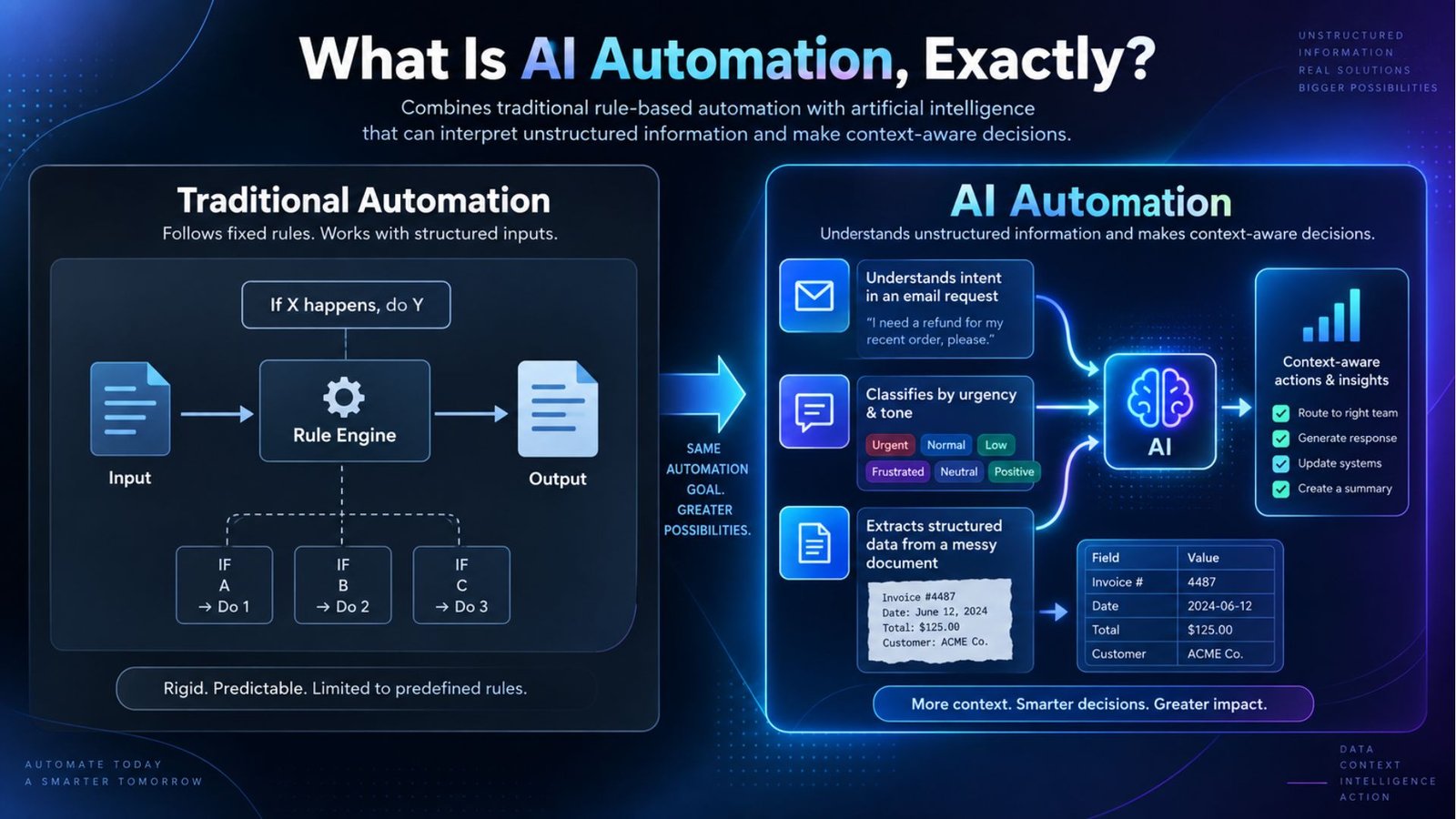
That distinction is exactly why adoption has accelerated so fast. Older automation broke the moment something didn’t match its expected format. AI-driven systems handle the genuine messiness of real business data — typos, inconsistent phrasing, missing fields — without falling over.
The Scale of Transformation: Why This Matters Now
It’s worth stepping back to understand why this shift is getting so much attention across every industry, not just tech.
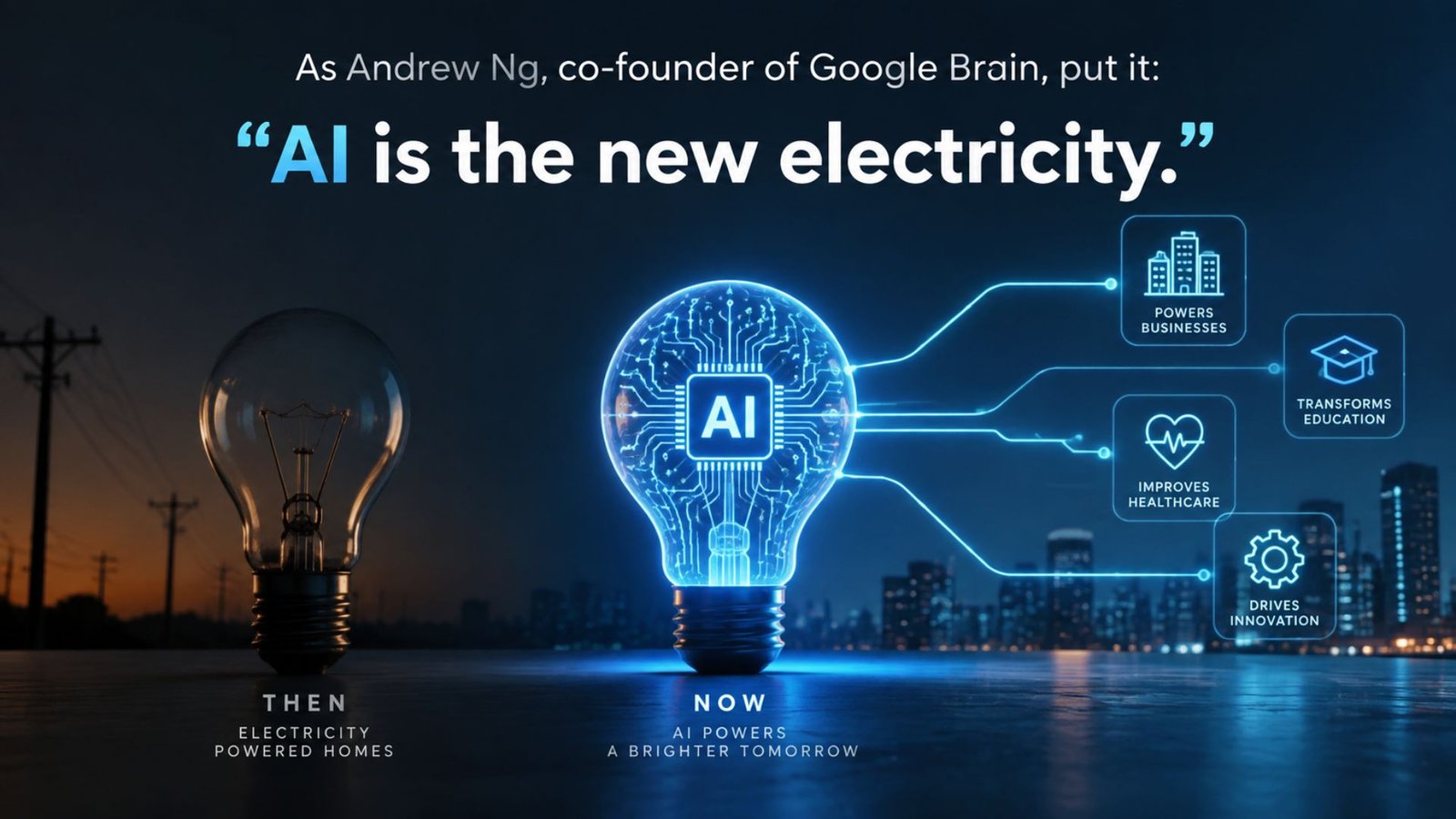
As Andrew Ng, co-founder of Google Brain, put it: “AI is the new electricity.”
That comparison holds up well here — just as electricity didn’t just power one industry but rewired how every business operated, AI automation is quietly becoming infrastructure rather than a novelty feature bolted onto existing software.
The businesses moving fastest on this aren’t necessarily the ones with the biggest tech budgets. They’re the ones treating automation as a core operating strategy rather than a one-off project.
Types of Process Automation
Understanding the different types of process automation clarifies where AI actually adds value versus where simpler tools already do the job:
- Robotic Process Automation (RPA) — software bots mimicking repetitive human actions like data entry or moving information between systems
- Rule-based automation — straightforward if-this-then-that logic for predictable, unchanging processes
- Intelligent automation — combines RPA with AI capabilities like natural language processing, allowing systems to handle unstructured input and exercise judgment
- AI agent workflow automation — a newer category where autonomous agents sequence multiple tasks independently, adjusting based on context rather than a fixed script
Most companies use a blend — simple rule-based automation for the easy wins, moving toward intelligent automation as they tackle messier, judgment-heavy processes.
What Is AI Agent Workflow Automation?
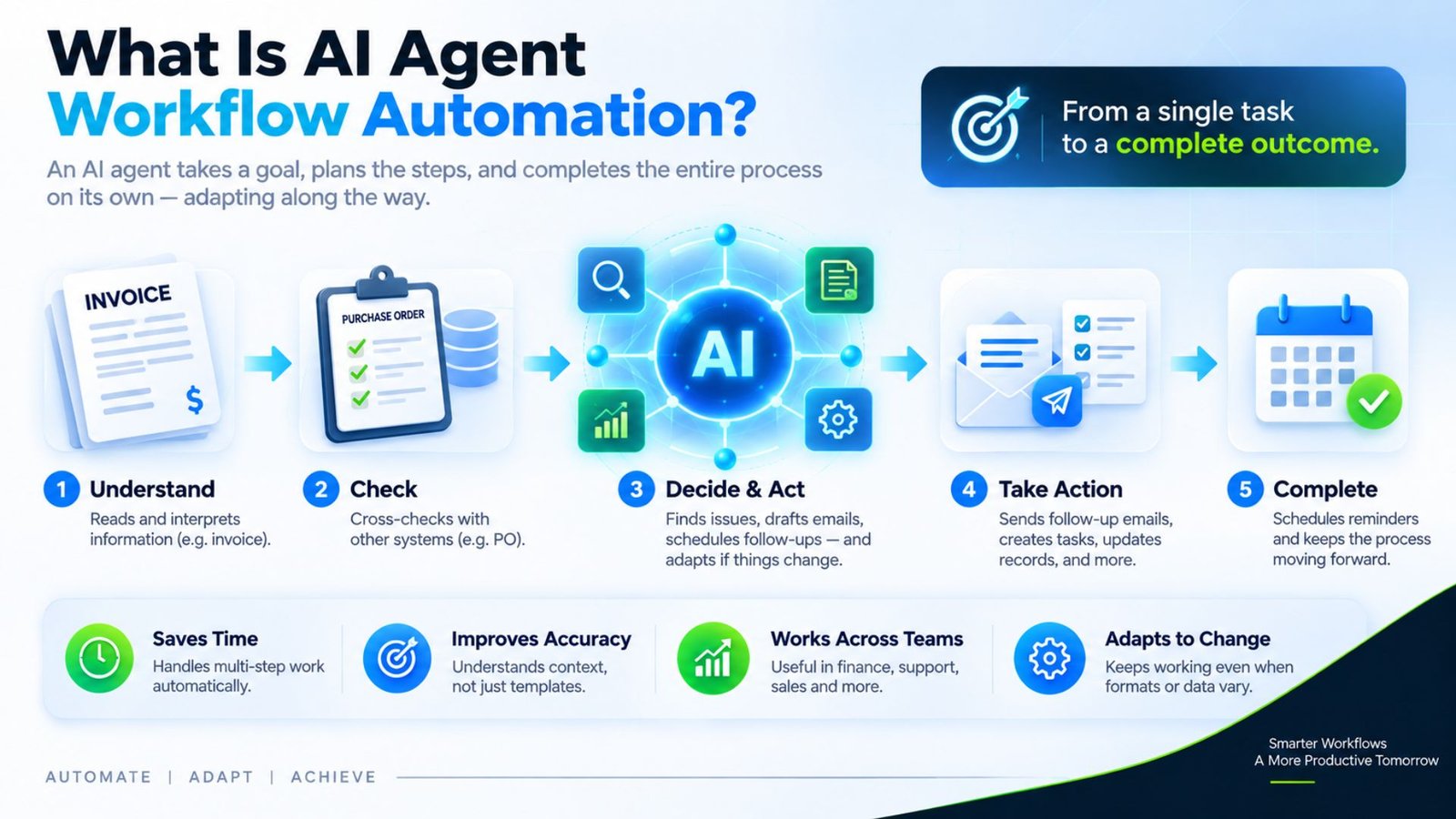
This category deserves its own explanation, since it’s one of the fastest-growing areas heading into 2026. What is AI agent workflow automation, in practice, describes a system where an AI agent doesn’t just execute a single task — it plans and completes a multi-step process on its own, adapting its next move based on what it discovers along the way. The key word here is “agent,” not “tool.” A tool waits for instructions at every step. An agent takes a goal, breaks it into a sequence of sub-tasks, and works through them with a degree of independence that older automation systems never had.
A concrete example: rather than a bot that only extracts invoice data, an agent might read the invoice, cross-check it against a purchase order, flag any discrepancies, draft a follow-up email to the vendor, and even schedule a reminder to check for a reply — all without a person triggering each individual step. If the vendor’s invoice format changes slightly from the last one on file, a rigid rule-based system would likely fail outright. An AI agent, by contrast, can usually still extract the right fields because it’s interpreting the content rather than matching a fixed template.
This same pattern shows up across other functions too. In customer service, an agent might not just answer a question — it might check order status, initiate a refund if it falls within policy, and log the interaction with a summary, deciding on its own whether the situation needs to be escalated to a human. In sales operations, an agent could research a new lead, pull relevant firmographic data, draft a personalized outreach message, and queue it for review, adjusting its approach depending on the industry or company size it finds.
What makes this category genuinely different from older automation isn’t just the number of steps it handles — it’s the judgment involved between those steps. Traditional workflows follow a fixed path: step one always leads to step two. AI agents evaluate the situation at each point and choose the next action based on context, which means the same starting task can end up following a different path depending on what the agent encounters. That flexibility is powerful, but it’s also exactly why testing and oversight matter more with agent-based automation than with simpler rule-based systems — a wrong decision at step two can quietly compound by step five if nobody’s watching.
AI Augmentation vs Automation: Where’s the Line?
This distinction gets blurred constantly, so it’s worth being precise. AI augmentation vs automation comes down to who’s actually in control of the outcome. Augmentation means AI assists a human who still makes the final call — drafting a reply, flagging an anomaly, summarizing a document for review. Automation means the task completes end-to-end with no human step at all.
This is also where things can quietly go wrong if a business isn’t paying attention. As UpscoreTech’s Founder and CEO puts it:
“If you can do AI automation properly, the possibility of business growth is much higher… but you must keep in mind: are you automating with AI, or is AI automating you?”
That’s not a rhetorical warning. It’s easy to hand off decision-making faster than you’ve actually validated the system’s judgment, and businesses that skip that validation step often discover the gap only after something’s gone wrong at scale.
Examples of Intelligent Automation in Action
Concrete examples of intelligent automation land better than abstract theory, so here are real applications businesses are running today. These also cover the most common AI automation examples people search for:
- Customer support triage — automatically reading incoming tickets, classifying urgency, and routing them without a person sorting the queue manually
- Invoice and document processing — extracting data from PDFs and scanned files, even when formatting varies between vendors
- Lead qualification — scoring and routing new leads based on behavior and profile data, so sales teams focus only on the ones worth pursuing
- Inventory forecasting — predicting stock needs from patterns a person would take hours to spot manually
- Employee onboarding — automatically provisioning accounts and scheduling training based on a new hire’s role
AI Automation Ideas Worth Considering
If you’re brainstorming your own starting point, a few practical AI automation ideas consistently deliver fast, visible wins: automating appointment confirmations and reminders, auto-tagging and routing inbound emails, generating weekly performance reports without manual compilation, and flagging anomalies in expense reports before they reach a human reviewer. The common thread across all of these is that they’re repetitive, rule-describable tasks that still involve enough variation to benefit from AI rather than rigid rule-based logic alone.
Benefits of Intelligent Automation
The benefits of intelligent automation extend well past the obvious time savings.
Reid Hoffman, co-founder of LinkedIn, frames the opportunity directly: “Start using AI deeply. It is a huge intelligence amplifier.”
That amplification effect shows up in a few concrete ways for businesses:
- Fewer human errors — manual data entry is one of the most common sources of costly mistakes, and automation removes most of that risk
- Faster turnaround — tasks that once took hours often complete in minutes
- Better scalability — handling a 10x increase in volume without a 10x increase in headcount
- Freed-up staff time — employees spend less time on busywork and more on judgment-driven work
- Consistent output — automated processes follow the same standard every time, unlike manual work that varies between people
AI Workflow Automation for Small Business: Is It Realistic?
A common misconception is that AI workflow automation for small business only makes sense for companies with large IT budgets. That’s no longer true. Off-the-shelf tools have become significantly more affordable, and many require no in-house engineering team to implement.
A small business might start with something as simple as automating appointment reminders or sorting incoming inquiries before expanding into anything more complex. The businesses seeing the best results tend to start with one clearly repetitive process, prove the value, then expand from there.
Automation for Businesses: Why It’s No Longer Optional
Automation for businesses has shifted from a competitive advantage to a baseline expectation in a lot of industries. Customers increasingly expect instant responses, accurate order tracking, and fast turnaround — expectations that are difficult to meet consistently through manual processes alone, especially as a company scales past a certain size. Businesses that delay automating repetitive workflows often find themselves needing to hire faster just to keep pace with growth, where a well-automated competitor scales the same volume with a leaner team.
How to Use AI to Automate Business Processes
If you’re wondering how to use AI to automate business processes for the first time, the most effective approach follows a clear sequence:
- Identify your most repetitive, time-consuming task — the one your team complains about most, or the one prone to the most errors
- Map the current process step by step — you can’t automate what isn’t clearly defined yet
- Choose the right level of automation — simple rule-based tools for predictable tasks, intelligent automation for anything involving judgment or unstructured data
- Start with a pilot, not a company-wide rollout — test on one team or process before expanding
- Measure the result before scaling further — time saved, errors reduced, and staff feedback all matter before a bigger investment
This is exactly the kind of assessment our team at UpscoreTech walks businesses through — mapping your current process and identifying the highest-impact place to start, rather than guessing.
Automating Your Business Process: Common Mistakes to Avoid
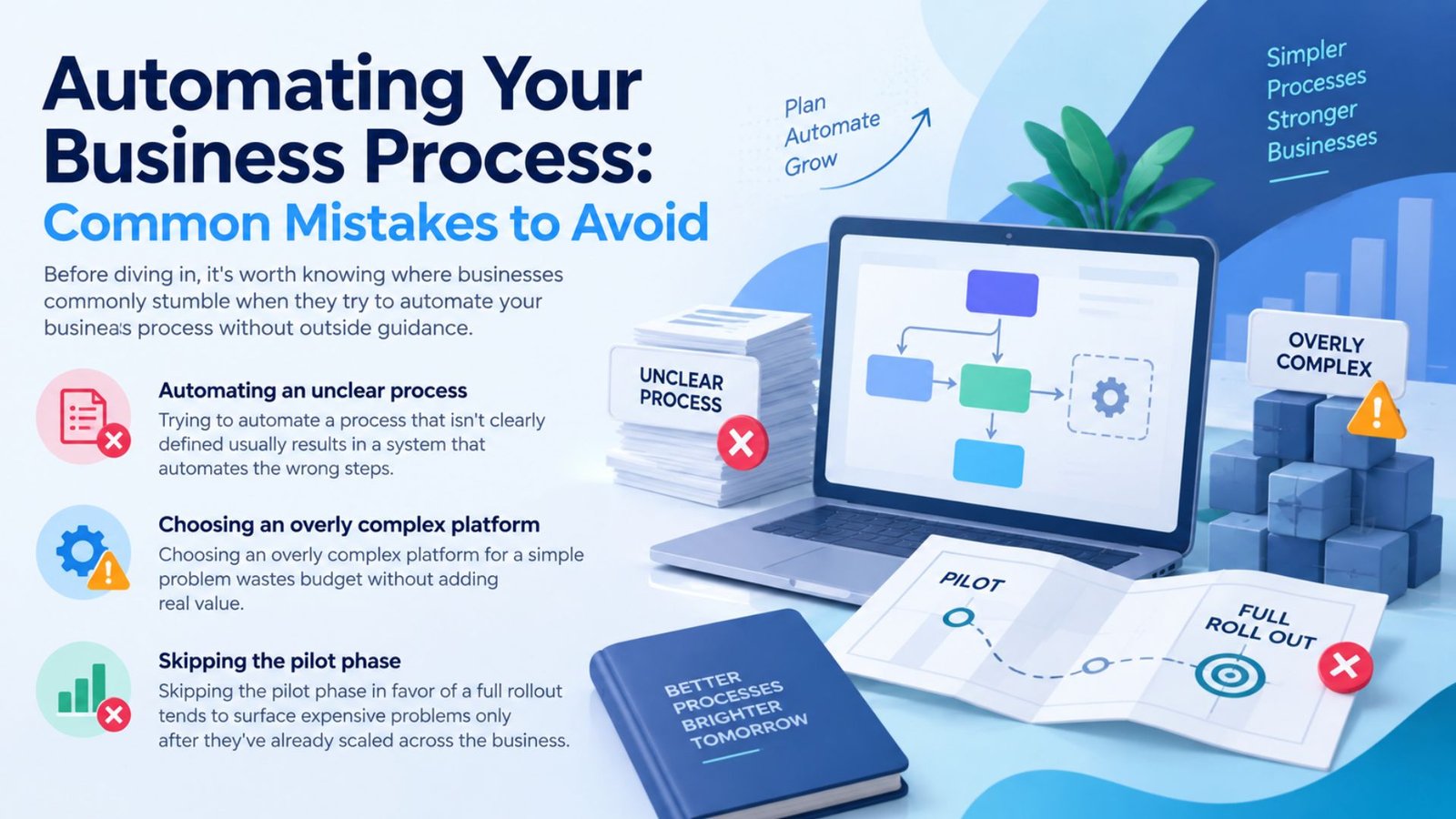
Before diving in, it’s worth knowing where businesses commonly stumble when they try to automate your business process without outside guidance. Trying to automate a process that isn’t clearly defined usually results in a system that automates the wrong steps. Choosing an overly complex platform for a simple problem wastes budget without adding real value. And skipping the pilot phase in favor of a full rollout tends to surface expensive problems only after they’ve already scaled across the business.
AI Automation Workflow Optimization Techniques
Once a process is automated, the work isn’t finished — it needs tuning over time. A few practical AI automation workflow optimization techniques: review exception rates regularly to catch cases the system consistently mishandles, retrain or adjust models as your business processes evolve rather than treating the initial setup as permanent, and consolidate overlapping automations that have grown up separately across departments, since redundant systems quietly waste both cost and maintenance time.
Intelligent Automation Testing: Don’t Skip This Step
Intelligent automation testing is the step businesses most often rush past, and it’s usually where costly mistakes get introduced. Before rolling out any automated workflow at scale, it needs to be tested against edge cases, not just the clean, ideal scenario it was designed around — unusual formatting, incomplete data, and ambiguous requests are exactly where AI-driven systems most commonly stumble if they haven’t been properly stress-tested beforehand. A short pilot period with human oversight before full deployment catches the majority of these issues before they affect real customers or real revenue.
Final Thoughts
AI automation in 2026 isn’t reserved for large enterprises with dedicated engineering teams — it’s genuinely accessible to small and mid-sized businesses ready to cut down on repetitive work and reduce costly errors. The businesses seeing the strongest results aren’t the ones automating everything at once; they’re the ones starting with a single, clearly mapped process, testing it properly, measuring the outcome, and expanding deliberately from there.
If you’re ready to find out where automation could save your business the most time, UpscoreTech can help map a strategy built around your specific workflows rather than a generic template.
Frequently Asked Questions
What is AI automation in simple terms?
AI automation combines traditional automation with artificial intelligence that can understand context, interpret unstructured data, and make decisions — going beyond basic rule-based systems that only follow fixed instructions.
What’s the difference between AI augmentation vs automation?
Augmentation means AI assists a human who still makes the final decision. Automation means the task completes end-to-end without human involvement at each step.
Is AI workflow automation realistic for a small business with a limited budget?
Yes. Many affordable, off-the-shelf tools now let small businesses automate processes like customer inquiries and reporting without needing an in-house engineering team.
Why is intelligent automation testing so important before a full rollout?
Because AI-driven systems most often fail on edge cases — unusual formatting or ambiguous requests — rather than the clean scenario they were originally designed around. Testing catches these gaps before they affect real customers.